





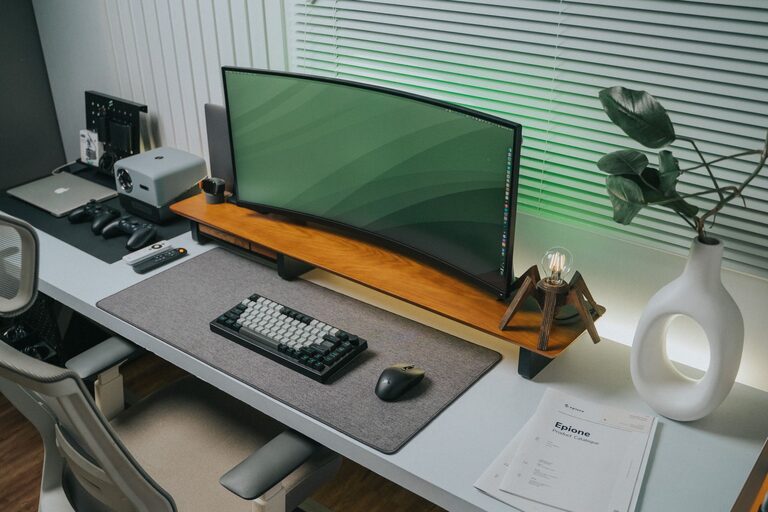
Creating an efficient and organized home workspace is essential for boosting productivity and maintaining focus during your workday. Whether you work remotely full-time or occasionally need a quiet place to get things done, having a clean and well-arranged environment can make a big difference. In this post, we’ll explore simple and practical tips to help you organize your home workspace so you can work smarter, not harder.
Why Organizing Your Workspace Matters
A cluttered or disorganized workspace can lead to distractions, stress, and decreased productivity. When your desk is neat and your tools are easy to find, you spend less time searching for things and more time focusing on what matters. Organizing your workspace also improves your mindset, encouraging a more professional and motivated attitude toward your work.
Start with a Clean Slate
Before diving into organization, clear everything off your desk and work area. This “blank canvas” approach allows you to rethink how you use your space, discard unnecessary items, and plan an efficient setup.
– Remove all papers, gadgets, and supplies.
– Wipe down surfaces to create a fresh environment.
– Consider whether any furniture or equipment should be repositioned for better flow.
Choose a Dedicated Workspace
If possible, select a specific spot in your home to set up your workspace. This nearby spot will help you separate your work life from home life.
– Make sure the area has good natural light or invest in a quality desk lamp.
– Avoid high-traffic or noisy zones to minimize distractions.
– Keep all essential work items within arm’s reach.
Use Storage Solutions Wisely
Effective storage keeps your desk clutter-free and important items easy to access.
– Use drawer organizers to separate pens, paper clips, and other small items.
– Consider vertical storage like shelves or wall-mounted organizers to save desk space.
– Invest in file holders or a filing cabinet to keep papers tidy and organized by category or project.
Declutter Regularly
Set a routine to tidy your workspace at the end of each day or week.
– Sort through papers and discard what you no longer need.
– Put away supplies and close drawers.
– Wipe down surfaces to maintain a clean and welcoming area.
Manage Cables and Electronics
Messy cables can make even the neatest desk look disorganized.
– Use cable clips or ties to bundle and route wires neatly.
– Consider wireless keyboards, mice, or chargers to reduce cable clutter.
– Place frequently used electronics in consistent locations to avoid unnecessary searching.
Personalize Thoughtfully
Adding a few personal touches can boost your mood and comfort, but be careful not to overcrowd your space.
– Choose one or two favorite photos or artwork.
– Add a small plant to bring a bit of nature indoors and improve air quality.
– Use a comfortable chair and ergonomic accessories to support long work sessions.
Prioritize Lighting and Ergonomics
Good lighting reduces eye strain, and ergonomic setup prevents discomfort and injury.
– Position your screen at eye level and about an arm’s length away.
– Use adjustable chairs and desks if possible.
– Make sure your workspace is well-lit with a combination of natural and artificial light.
Plan Your Workflow with Organizers and Tools
Using organizers and planning tools helps keep projects and tasks on track.
– A desk calendar or planner can help you visualize deadlines.
– Use trays or baskets to separate incoming and outgoing work.
– Label storage containers and folders to save time finding items.
Maintain Digital Organization
Your digital workspace is just as important as the physical one.
– Keep your desktop clutter-free by organizing files into folders.
– Use cloud storage solutions for easy access and backup.
– Schedule regular times to clean up emails and digital files.
Final Thoughts
Organizing your home workspace doesn’t require major renovations or expensive purchases. By applying these simple tips, you can transform your area into a productive zone that supports focus, comfort, and efficiency. Remember, the key to staying organized is consistency—make small adjustments regularly, and your workspace will work for you, not the other way around.
—
By taking a little time each day to maintain your workspace, you’ll notice improvements in your productivity and overall work experience at home. Happy organizing!




More Stories
Tips for Creating a Cozy and Productive Home Workspace
Tips for Creating a Productive Home Workspace That Boosts Focus and Comfort
Tips for Creating a Cozy and Functional Home Workspace