




Creating a cozy and functional home workspace is essential for maintaining focus and comfort during your workday. Whether you’re working remotely full-time or just need a spot for occasional tasks, a well-designed space can boost productivity and reduce stress. Here are practical tips to help you set up a workspace that feels inviting and works well for your needs.
Choose the Right Location
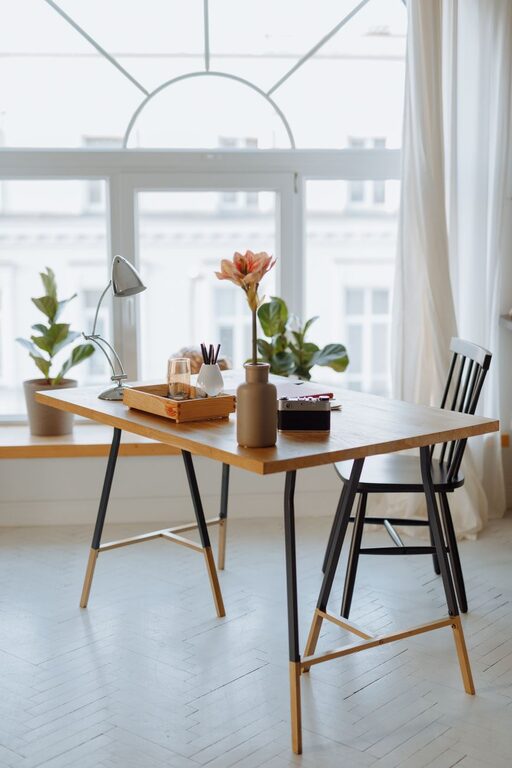
Finding the best spot in your home for a workspace is the first step. Look for a quiet area with minimal distractions, preferably near natural light. Natural light not only brightens the space but also helps improve mood and alertness.
If space is limited, consider transforming a corner of your living room or bedroom. Use room dividers or a bookshelf to create a sense of separation and help focus.
Invest in Comfortable Furniture
A supportive chair and an appropriately sized desk are key. Look for an ergonomic chair that promotes good posture to avoid discomfort during long hours. Adjustable chairs and desks are great because they let you customize height and positioning.
Choose a desk with enough surface area to hold your computer, notebooks, and any other essentials you use daily. If you prefer standing sometimes, consider a convertible sit-stand desk.
Optimize Lighting
Besides natural light, you’ll need good artificial lighting to reduce eye strain. A desk lamp with adjustable brightness allows you to control the lighting intensity depending on the time of day or task.
Warm lighting can make the workspace feel cozy, while cooler white light can help keep you alert. Find a balance that suits your preferences.
Keep It Organized
Clutter can be distracting and reduce efficiency. Use storage solutions like shelves, drawers, and baskets to keep supplies organized and within reach.
Consider labeling storage containers, using cable organizers, and keeping desktop items minimal. A tidy workspace helps maintain focus and creates a calming environment.
Personalize Your Space
Adding personal touches can make your workspace feel more inviting. Use artwork, plants, or photos that inspire you without overwhelming the area.
Plants not only add a decorative touch but also improve air quality. Choose low-maintenance plants like succulents or snake plants if you don’t have a green thumb.
Manage Technology Effectively
Keep your tech gear organized and easy to access. Use stands or mounts for monitors and laptops to keep screens at eye level, reducing neck strain.
Ensure you have adequate outlets or a power strip for chargers and devices. Use wireless accessories when possible to reduce cable clutter.
Create Boundaries
If you live with others, set clear boundaries for when your workspace is in use. This helps minimize interruptions and signals that you’re working.
Consider noise-cancelling headphones if your environment tends to be noisy. A white noise machine or soft background music can also help you stay focused.
Maintain a Healthy Routine
Your workspace should support regular breaks and movement. Keep a water bottle nearby and set reminders to stretch or stand periodically.
Add a small space for quick exercises or relaxation, like a yoga mat or comfortable cushion. Staying active throughout the day improves overall comfort and productivity.
—
By following these tips, you can create a home workspace that blends comfort and functionality. A well-thought-out space supports your work habits and helps you feel motivated every day. Remember, your workspace should reflect your needs and personality while promoting focus and well-being.


More Stories